PowerPoint PDF Generator + Word PDF Generator + Excel Generator

Generate professional PDF, PowerPoint, Word, and Excel documents directly from your Squirrel365 apps — no code, no middleware, no hassle.
The Document Generator lets you produce professional PDF, PowerPoint, Word, and Excel documents directly from your published Squirrel365 apps. It pulls live data at runtime and injects it into pre-designed templates — so your end users get a beautifully branded output with a single click.
Use case
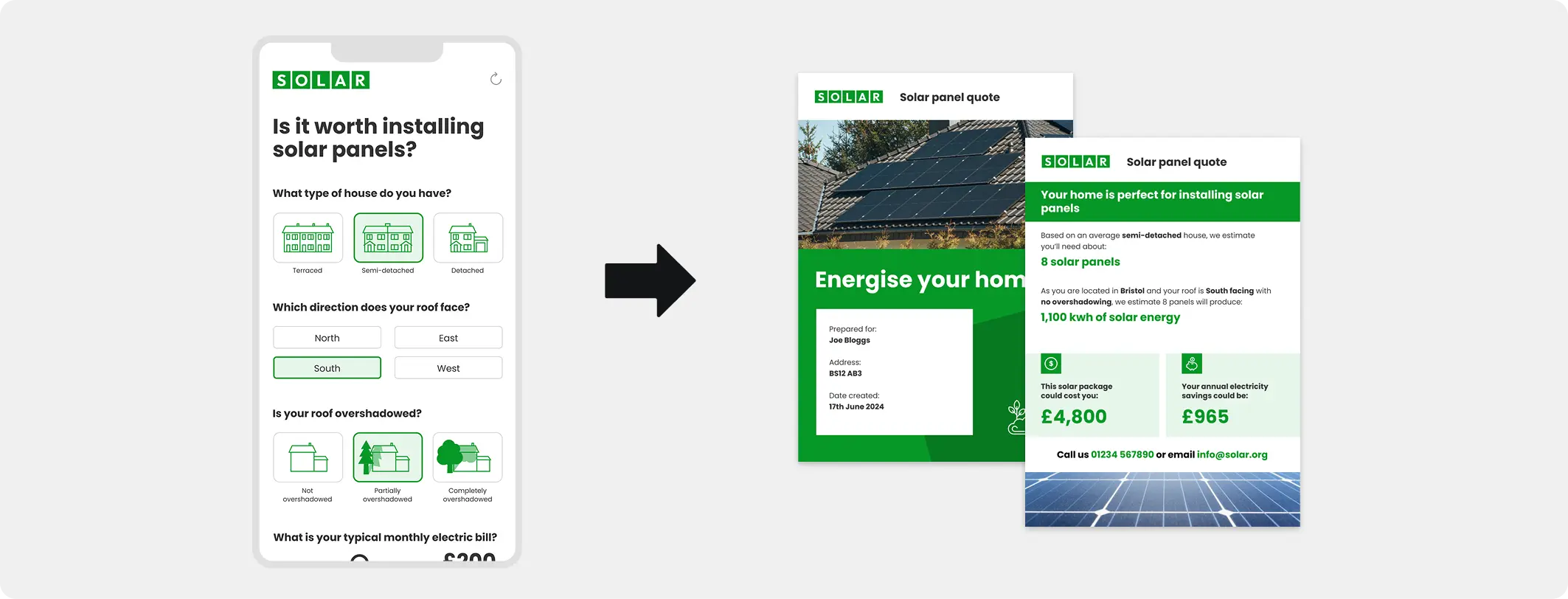
Your sales team configures pricing in a Squirrel365 app, then generates a branded quote document to send straight to the prospect. No copying and pasting, no formatting headaches.
Use case
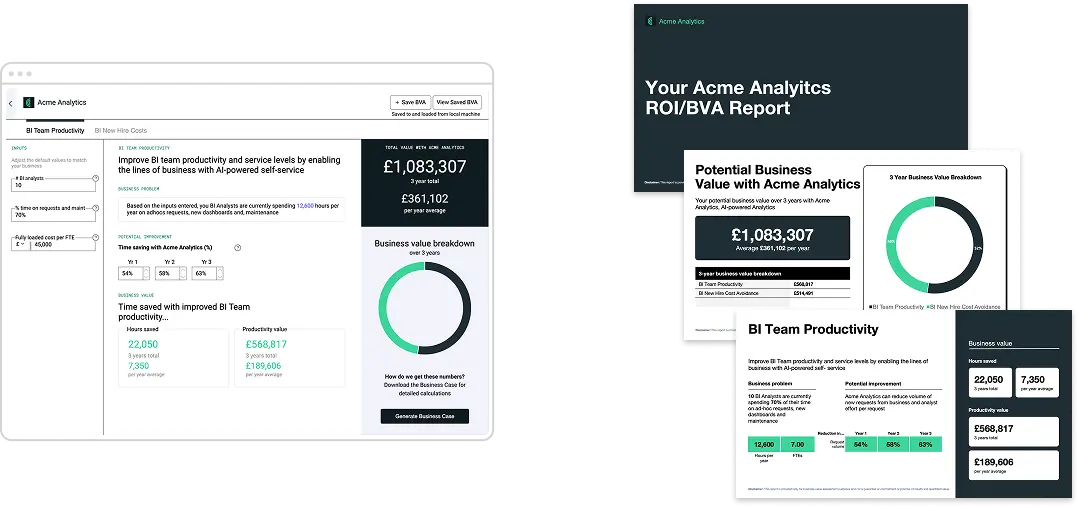
Users input assumptions, tweak variables, and run calculations — then produce a formatted business case document to share with stakeholders. Data and narrative in one click.
use case
Combine narrative, live data, charts, and branding into a professional proposal generated directly from app inputs. Consistent every time, ready in seconds.
use case
Pull live data from an app into a branded report document. Populate monthly KPI packs, performance summaries, board updates, with the current numbers every time, at the click of a button
Design documents with the skills and tools you already have. There's no learning curve.

Best for branded reports, proposals, quotes, and presentation decks with dynamic data, charts, images, and tables.

Best for text-heavy documents like contracts, letters, compliance reports, and detailed business cases.

Best for structured data exports, financial models, invoices with line items, and any tabular output.
Author documents with the skills and tools you already have. There's no learning curve.
Create your document template in the Microsoft Office app you already know — PowerPoint, Word, or Excel. Add placeholders (like {{client_name}} or {{total}}) where you want live data to appear.
Upload your template to the Squirrel Cloud via cloud.squirrel365.io. The system scans it, identifies all your placeholders, and provides the connection keys you need.
Drop the Document Generator component into your Squirrel365 app. Connect it to your template, then map each placeholder to the spreadsheet cells that hold your data.
End users see a simple button. One click generates the document with live data and downloads it directly in their browser. No data is stored on the servers — ever.
The Document Generator bolt-on includes all 3 components for a single annual fee allowing you to create a variety of outputs.
FROM
$750
/ year


No — and that's deliberate. We don't keep copies. Each document is built the moment someone clicks generate, downloads straight to their browser, it is never persisted. There's no library of past documents on our servers to look back through. It keeps your data yours, and keeps things simple for privacy and GDPR.
No. It's fully no-code. You design a template, drag the component into your app, and map your data through the spreadsheet. No APIs, no scripting.
The Microsoft Office tools you already know — PowerPoint, Word, and Excel. You mark where your data should appear using simple placeholders, then upload the template to your Squirrel365 account.
You map each placeholder in your template to a cell or range in your Squirrel spreadsheet. When someone clicks the generate button in your published app, the current data is pulled in and the document is built on the spot.
PDF, PowerPoint (PPTX), Word (DOCX), and Excel (XLSX). You choose the output format when you set the component up.
No. Your data flows straight from your app into the document. There's nothing to wire up in between.
Nothing breaks. We apply a soft limit rather than a hard stop, so any published project keeps working as normal. Your account manager will then get in touch to talk through your options and find the right allowance for how your team is using it.
Completely. Because you design the templates in Office, your fonts, colours, logos, and layout are all yours. The finished document looks exactly like your template — just filled with live data.
Yes — it's a bolt-on that adds document output to your existing Squirrel365 setup.
Get started
Contact us to add the Document Generator bolt-on to your Squirrel365 Subscription