
Build with Tufty AI

Your co-builder, not your replacement. Tufty AI takes on the tricky and repetitive parts of your project, so you can build faster without giving up control.

What Tufty AI can do

Build a quote form with my brand header and three pricing tiers
an AI response saying 'working on it..'

Lay out screens

Use Tufty AI to create layouts using standard components or your own custom ones.
Add a formula that will provide the total order value with added including VAT, for each region.
an AI response saying 'working on it..'

Write formulas

Tufty can write the tricky formulas in seconds. These are written into cells you can read and check.
Add a lookup table for product prices and keep this data separate in my spreadhsheet.
an AI response saying 'working on it..'

Shape your spreadsheet

Tufty AI can insert data, add sheets and restructure your model as your app grows.
Show a discount on the price when the quantity is over 100.
an AI response saying 'working on it..'

Wire up the logic

Tufty AI can connect components to your spreadsheet so your app responds to every input.

Tufty AI

You stay in control

Everything lands where you can see it. Tufty AI builds with the same components and formulas you normally use, so there's no hidden code and nothing you can't change. Work alongside Tufty AI, build manually by hand.
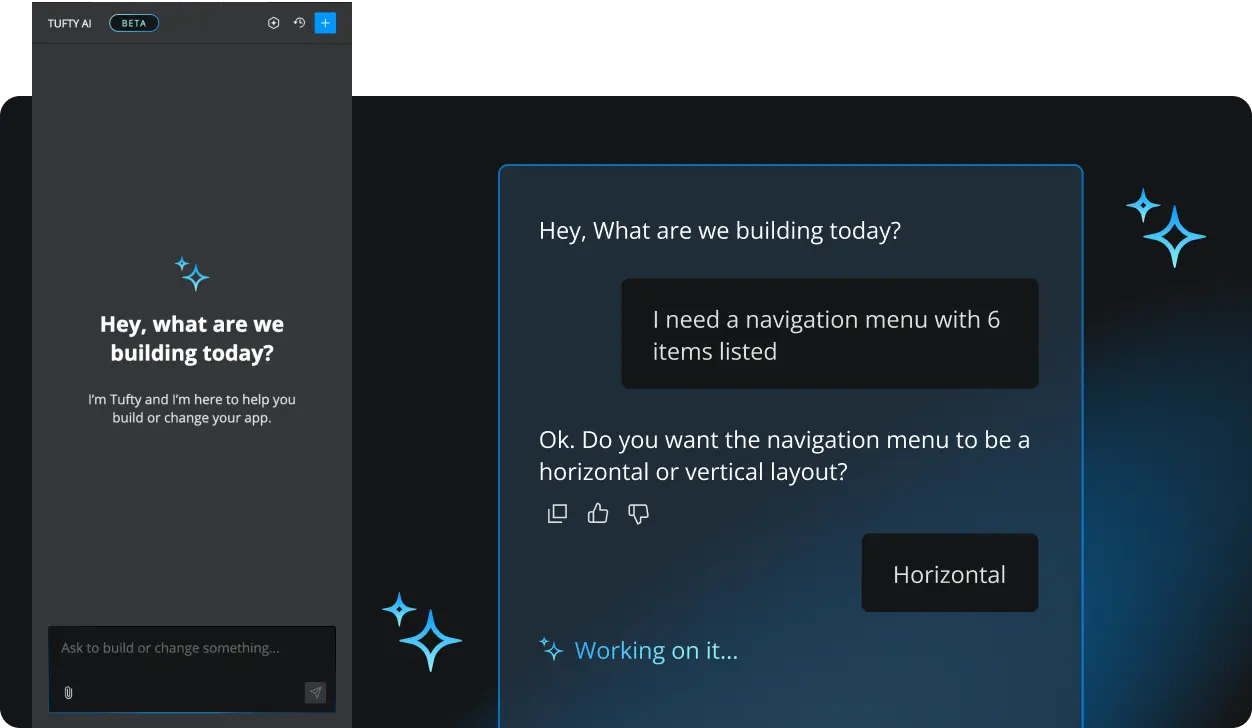
Screenshot of the Tufty AI chat panel for Squirrel365

Tufty AI

Your data, your rules

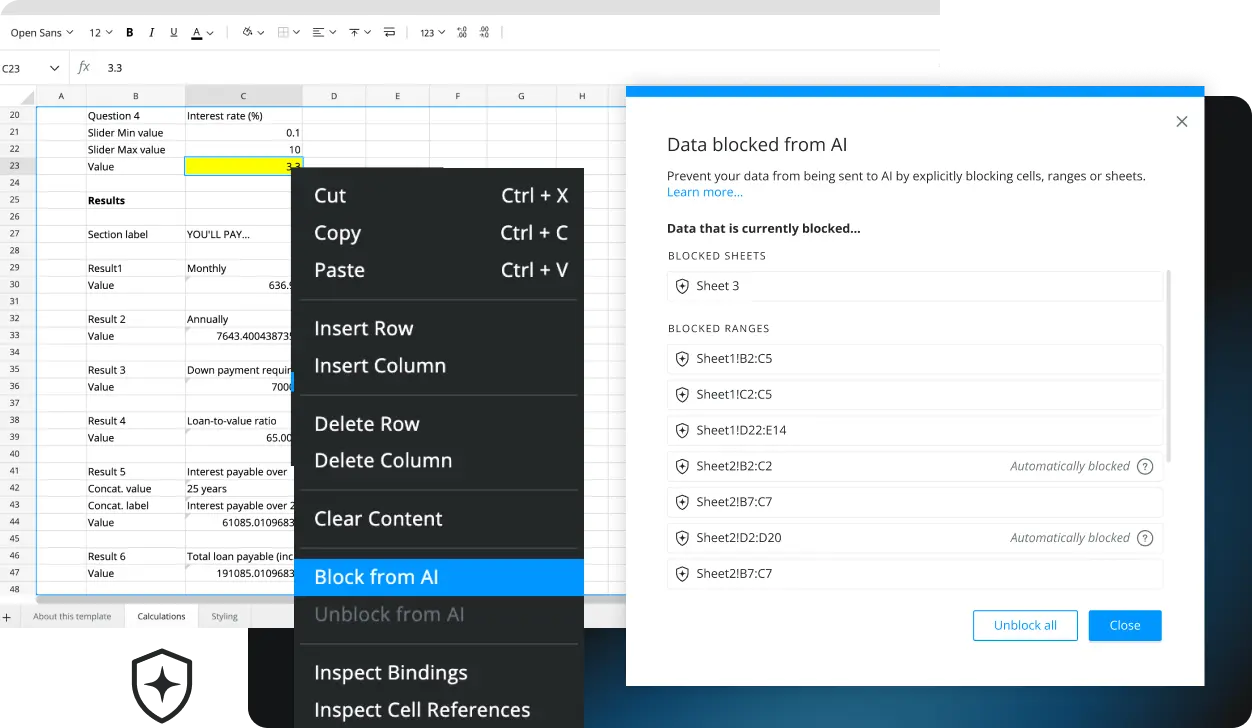
Mark cells, ranges or entire sheets as Blocked for AI and Tufty AI won't see them. Additionally, properties such as user names, passwords, API keys or Access tokens are automatically redacted. Use AI on projects that hold client or customer data, with confidence.

Blog articles on AI

GET STARTED

Start building your app for free.

Sign up, get building, and pay when you’re ready to launch.