Expert Opinion

By
Mel Sheppard
//
10 February 2026
No-code has been around long enough to stop being called a trend. It is an established category with mature platforms, a large community, and a proven track record of helping non-developers build real, functional tools.
And yet, for all its staying power, it still does not always come with a clear explanation of what it actually means or whether it is relevant to your specific situation.
This post fixes that. By the end, you will know exactly what a no-code platform is, how it works under the hood, who it genuinely suits, and what you can realistically build with one.
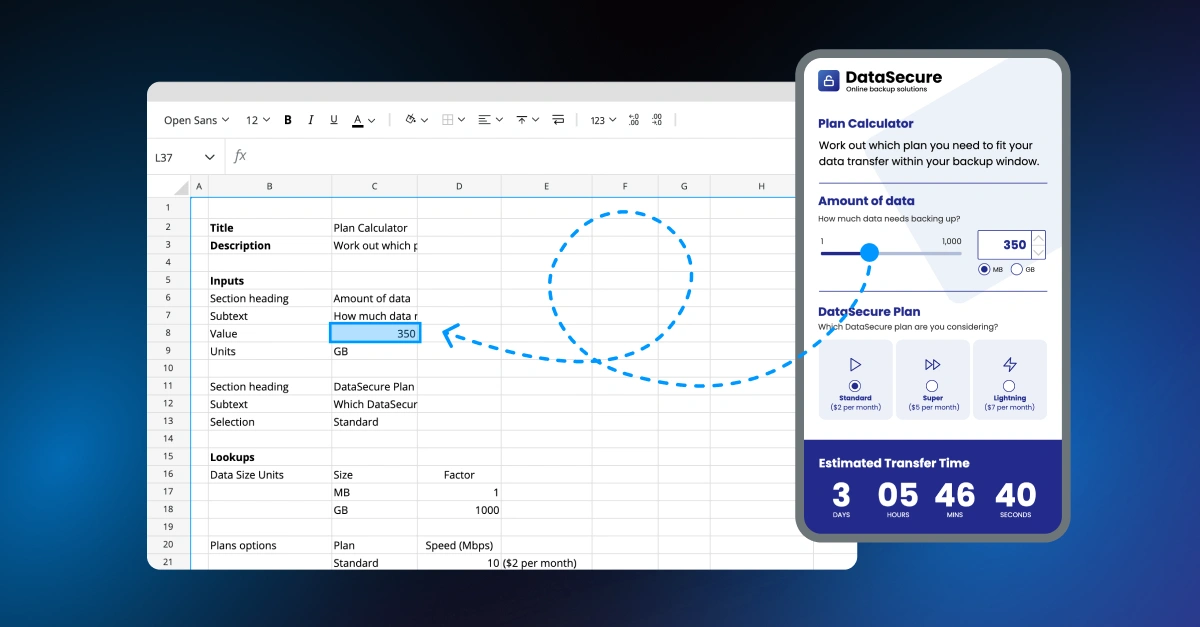
A no-code platform is a software tool that lets you build applications, dashboards, and interactive tools using a visual interface, without writing code. Instead of programming logic manually, you configure it using components, rules, or spreadsheet formulas. The output is a fully functional app or tool that runs in a browser.
'No code' does not mean there is no logic happening. It means the logic is expressed in a way that does not require programming syntax.
Visual building
Instead of writing code in a text editor, you assemble your app using a visual canvas. Components — forms, charts, tables, buttons, input fields — are laid out and configured visually. You are defining structure and behaviour without touching a line of code.
Data and logic
Every app needs to think: it needs to take inputs, apply rules, and produce outputs. In a no-code platform, that logic is configured rather than written. Some platforms use visual rule-builders. Others — including Squirrel365 — use spreadsheet formulas as the logic layer. If you have ever built a complex Excel model, you already understand the core concept. The syntax is familiar; the output is an app instead of a spreadsheet.
What you end up with
The result is something shareable and functional. Not a prototype, not a mockup — a working app with a URL that other people can open in their browser. You can share it with a client, embed it in a webpage, or publish it internally for a team.
To make this concrete: a consultant building a pricing calculator for a client. They know the pricing logic inside out. Historically, they have built it in Excel and emailed the file. With a no-code platform, they build the same logic into an interactive tool, publish it as a URL, and share a link instead of a spreadsheet. The client gets a cleaner experience; the consultant keeps control of the model.
No-code is not for everyone, and saying otherwise is not helpful. Here is an honest breakdown.
Who it is a natural fit for:
Who it is a less natural fit for:
The distinction matters. No-code does not turn everyone into a developer. It gives people who already think logically a way to build without needing to learn to code.
The range is broader than most people expect. Here are three categories where no-code genuinely delivers:
Interactive calculators and estimators
Pricing tools, ROI calculators, quote builders, financial models. These are logic-heavy outputs that analysts and consultants build constantly — usually in spreadsheets. A no-code platform turns that same logic into a polished, shareable tool that anyone can use without seeing the underlying model.
Dashboards and reporting tools
Internal reporting apps, client-facing analytics dashboards, scenario planning models. Instead of exporting a chart into a slide deck, you publish a live, interactive dashboard that updates with your data. Stakeholders can explore it themselves rather than waiting for the next version of the file.
Business apps and workflows
CRM tools, inventory trackers, onboarding flows, approval workflows. Tasks that currently live in a patchwork of spreadsheets and emails can be consolidated into a purpose-built app — without commissioning a development project.
If you want to see what is possible in practice, the Squirrel365 showcase has examples across all of these categories.
These terms get used interchangeably. They are not the same — and the differences matter when you are deciding which approach fits your situation.
A word on vibe coding
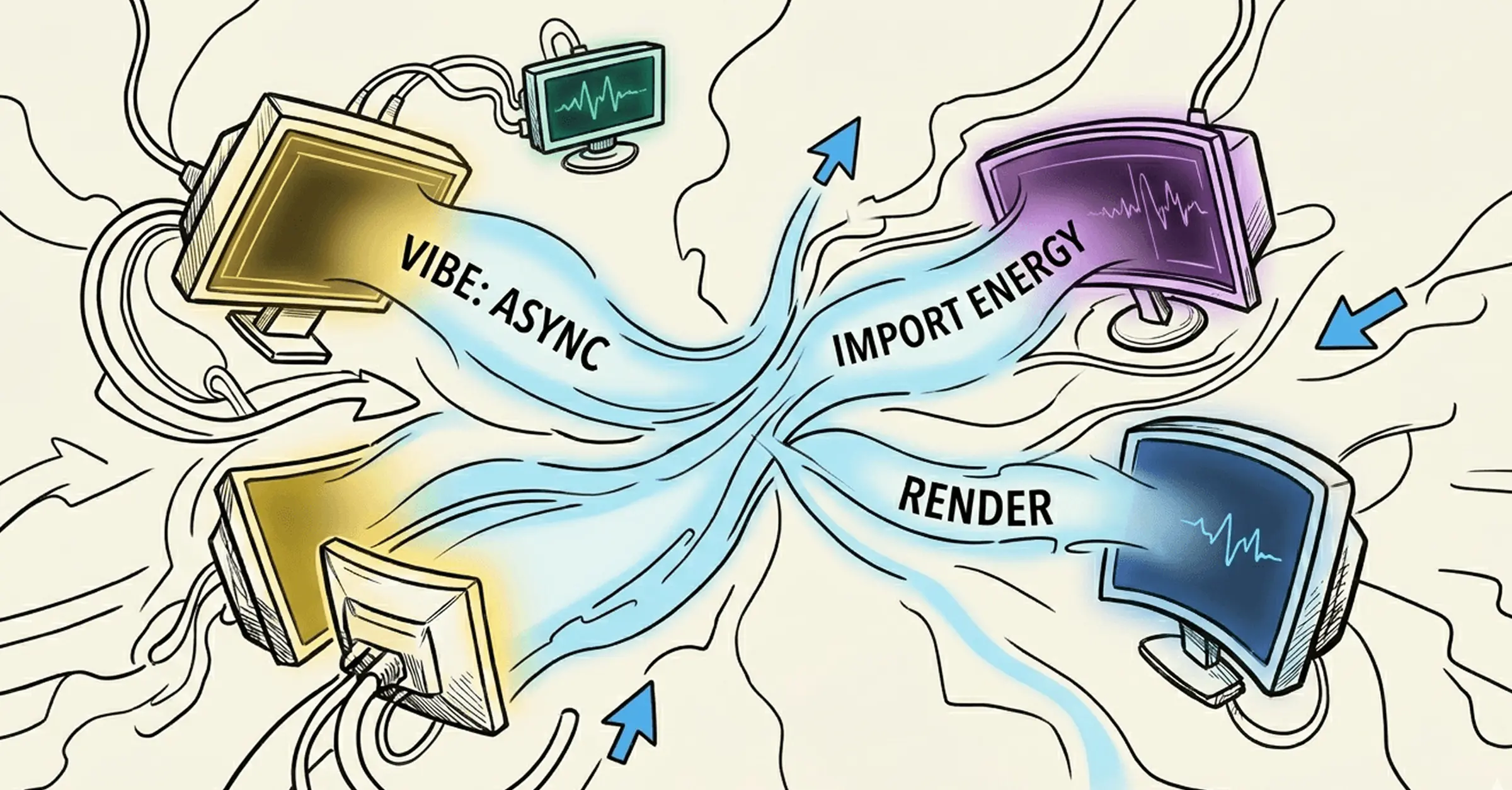
There's a new kid on the block: vibe coding. The term refers to using AI tools — ChatGPT, Claude, Cursor and others — to generate working code from plain-English descriptions. You describe what you want; the AI writes the code. You do not need to understand it.
It is a genuinely useful approach for prototypes, one-off scripts, and situations where you need something custom but do not have development resource. But it has trade-offs that are worth understanding before you commit to it. AI-generated code can be brittle. Small changes can break things in unpredictable ways, and without the ability to read the code yourself, debugging is difficult. For business tools that need to be reliable, maintained, and shared with others over time, that unpredictability is a real cost.
No-code platforms sit in a different position: the output is structured, the logic is visible to the person who built it, and the app is designed to be maintained. You are working within constraints, but those constraints are also what make the result dependable.
We covered vibe coding in its own dedicated post - including when it makes sense and when it does not.
The honest framing: no-code is not better than development. It is better for specific situations — primarily where the builder understands the logic but does not want to write code, and where the scope fits within what the platform can handle.
For most business tools, internal apps, and client-facing dashboards, that scope is more than sufficient.
Squirrel365 is a no-code platform built specifically for people who think in spreadsheet logic. It occupies a distinct position in the category: more powerful than simple form-builders and app templates, but more accessible than platforms that require you to learn an entirely new visual programming system.
The core idea is that if you already know how to write a formula in Excel, you already have the skills to build logic in Squirrel365. You are applying knowledge you have, not learning a new discipline.
It is particularly well suited to analysts, consultants, and finance or operations teams who want to turn their data models into shareable, interactive tools — without involving a developer.
If you are curious whether it fits what you are trying to build, the showcase is a good place to start. Or try it free and see for yourself.
Is no-code really free to use?
Many no-code platforms offer a free tier, including Squirrel365. Free plans typically let you build and test without cost. Publishing and sharing your app — making it accessible to others — is usually where a paid plan becomes relevant.
Can I build a mobile app with a no-code platform?
Some no-code platforms support mobile output; others produce web apps that work in a mobile browser but are not native apps. It depends on the platform. Squirrel365 produces browser-based apps that are accessible on any device.
What is the difference between a no-code platform and a website builder?
A website builder (like Squarespace or Wix) is designed to produce marketing websites and content pages. A no-code app platform is designed to produce tools — things that take inputs, apply logic, and return outputs. They are built for different purposes.
What is the difference between no-code and vibe coding?
Vibe coding means using AI to write code on your behalf from a plain-English prompt. No-code means building with a structured visual platform that does not involve code at all. Both let non-developers build things, but vibe coding produces code you may not be able to read or maintain, while no-code produces structured apps within a defined system. For reliable, long-term business tools, no-code tends to be the more stable choice.
Do no-code platforms replace developers?
Not really. They change what developers need to be involved in. A no-code platform means a business analyst can build a reporting tool without raising a ticket. It does not mean you no longer need developers for complex infrastructure, integrations, or bespoke software. Think of it as expanding who can build, rather than replacing who builds.
Ready to compare your options? See our picks for the best no-code app builders.


GET STARTED
Sign up, get building, and pay when you’re ready to launch.