Product

By
Mel Sheppard
//
06 August 2025

We’ve been busy since v1.18 was released. The latest version of the Squirrel365 Designer delivers an overhauled sidebar and our first foray into AI capabilities for your projects.
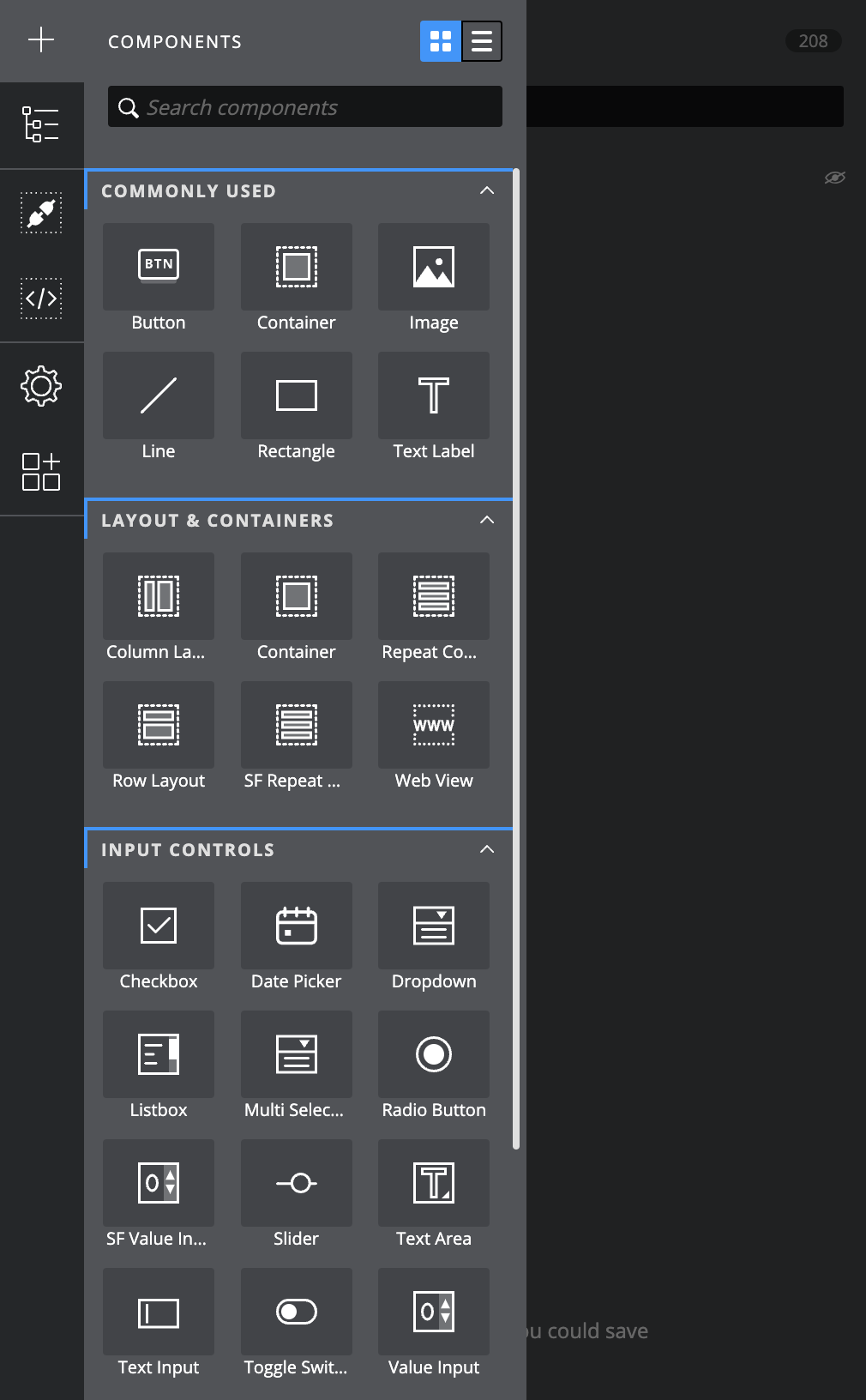
We’ve added a new sidebar to make it easier to navigate to key functionality in the designer. You can now access project settings, and the marketplace alongside the lists of components, functions and connections in your project.
The updated component library includes search, grid view/list view and friendlier categories (inc commonly used).
There is a new way to both manage and add connections and functions. They are no longer part of the object browser (or ‘component tree’ as it is now called) and the connections and functions list has been given a make over with new categories and help text.
The object browser has been renamed the Component Tree, inline with the fact it now only contains visual components providing a more intuitive way to interact with these ‘layers’ on your canvas.
Include chatbot like functionality powered by OpenAI in your apps/projects. We’ve provided some pre-canned ‘personalities’ that shape the behaviour and responses of the AI. Alternatively you can customise this by supplying your own prompt to ensure that the Chatbot provides answers in the style preferred.
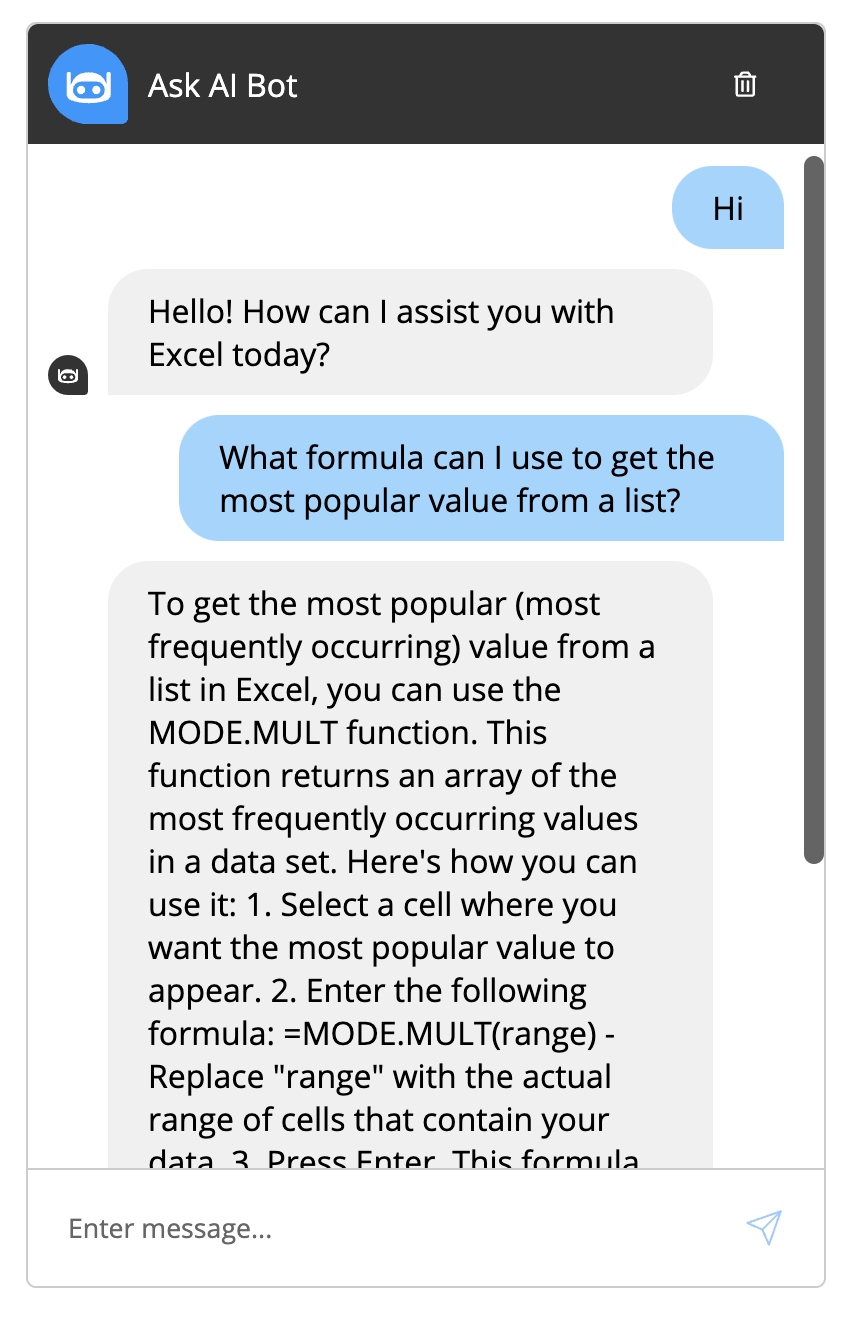
Our new AI Builder function makes it easy for anyone to use AI to add functionality to their their Squirrel365 apps. Think of it as an all-in-one API you can use to perform an almost unlimited number of possible tasks.
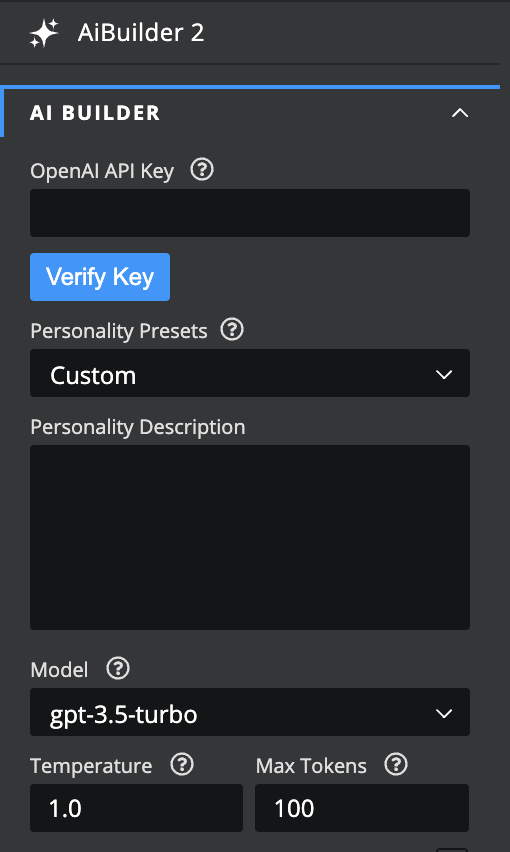
Provide your OpenAI API key and define a custom personality as a set of instructions for it to follow. You can select from a number of Models (which one you choose will be up to you based on factors such as cost and the models ability to perform the task).
Provide the information/data you want to send up in the source field and bind the response to a spreadsheet cell so that you can use it in your project/app.
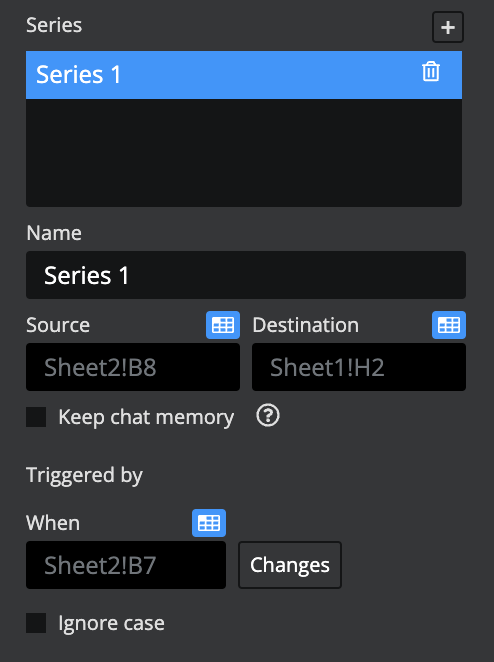
Possible applications include:
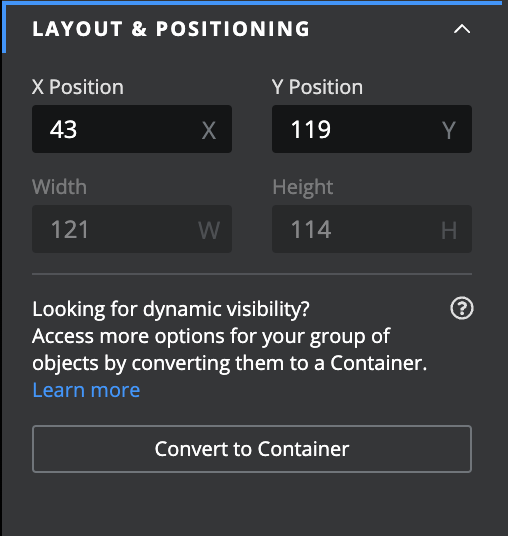
We’ve change the way the groups and containers work to be able to take full advantage of the alignment options with layout containers. Groups are a ‘design time’ thing. Use them to organise your component tree and keep elements related to each other. If you want to control how components behave as runtime you need to use a container.
When you want to do more with a group you can turn it into a container to expose runtime properties such as dynamic visibility, size and position bindings and alignment settings.
The new sidebar is just the beginning for a refreshed design experience. We are already working on further improvements aimed at streamlining aspects of the design experience where possible and making it easier than ever to build apps. But perhaps one of the most exciting features in Squirrel365 v1.19 is the AI Builder function and the possibilities it opens up.


GET STARTED
Sign up, get building, and pay when you’re ready to launch.