Product

By
Mel Sheppard
//
08 October 2025

Hot on the heals of the last release, v1.20 is the latest release of the Squirrel365 designer and is out now. It contains a host of new features and enhancements aimed at making it easier to build mobile apps.
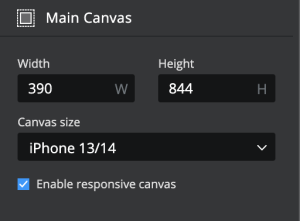
Since the introduction of layout containers in 1.18 you have been able to build responsive mobile apps, however testing how they will behave on different devices required you to publish the app and either use dev tools in the browser or check across a variety of physical devices. We have added a few common break points to preview mode so you can now you can test the layout and alignment settings of your responsive apps without publishing.

The new preview options will be available whenever the ‘enable responsive canvas’ option is selected on the apps main canvas.
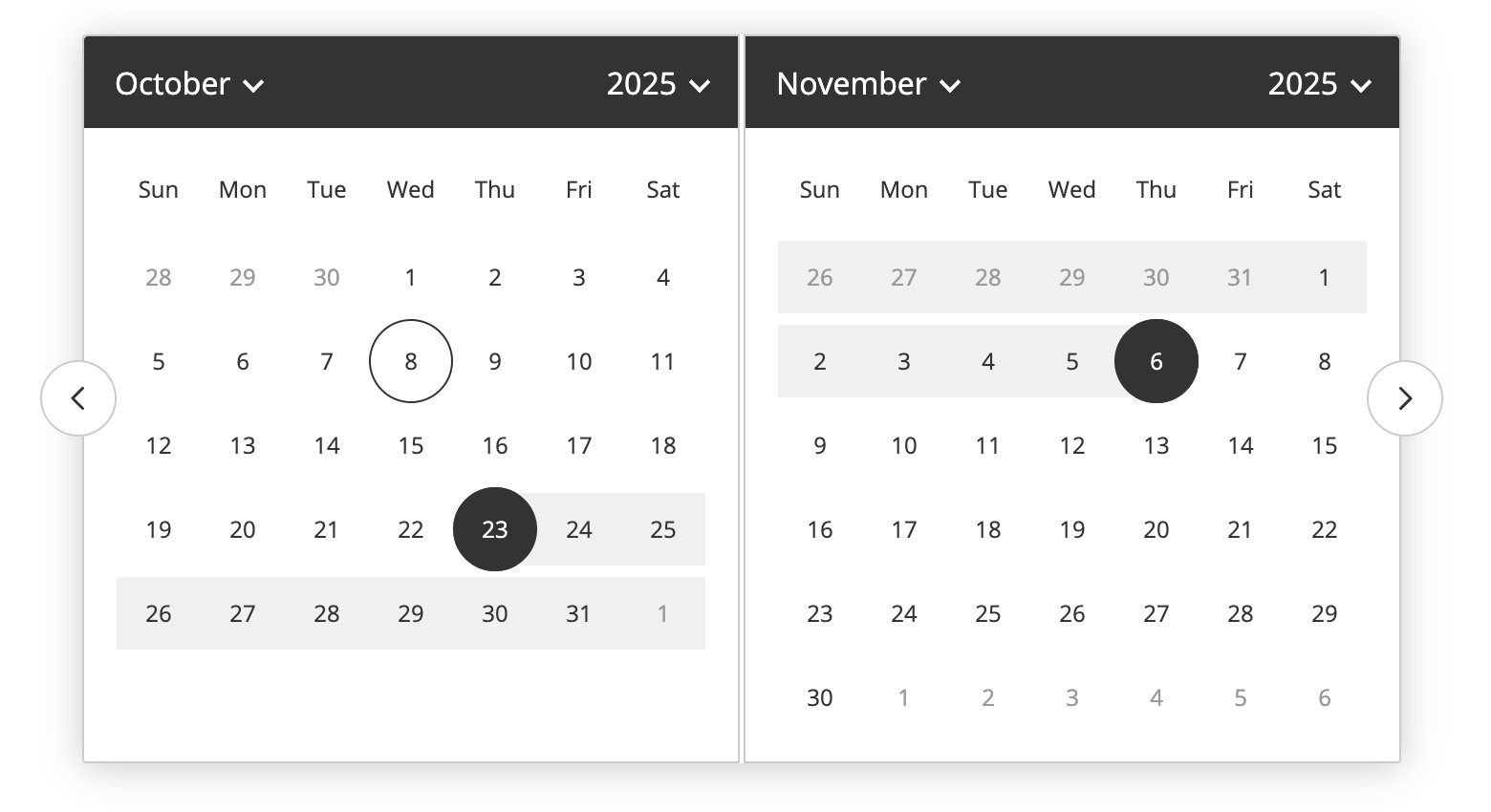
We’ve rebuilt the date picker from the ground up to include date ranges and provide a native date selection experience on mobile devices. The new date picker gives you much more control over the look and feel of the component and allows for different experiences across mobile and desktop dvices. With the Pop-up display style selected you can choose whether to have the native experience on iOS and Android devices only or fall back on native for all device types.
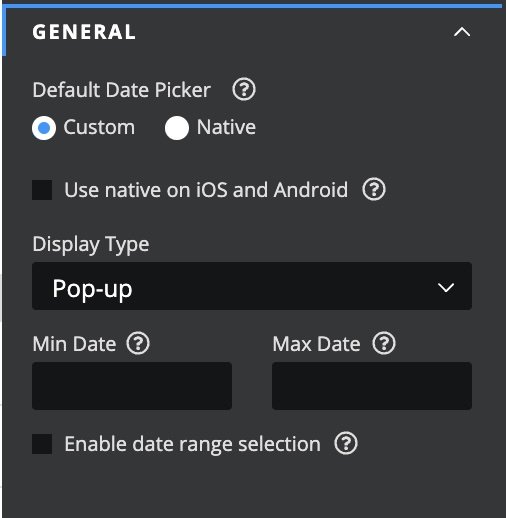
By enabling the date range selection option you can use a single picker to collect start and end dates in your project.
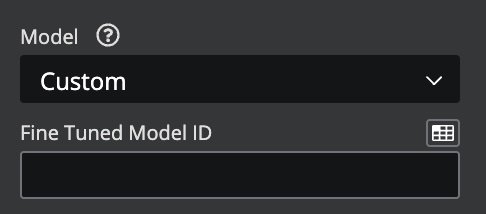
The AI builder function now lets you utilise your own fine tuned OpenAI models.
We’ve added a custom option to the list of aavilable models. Simply select ‘Custom’ and enter or bind the ID of your fine tuned model in the Fine Tuned Model ID field.
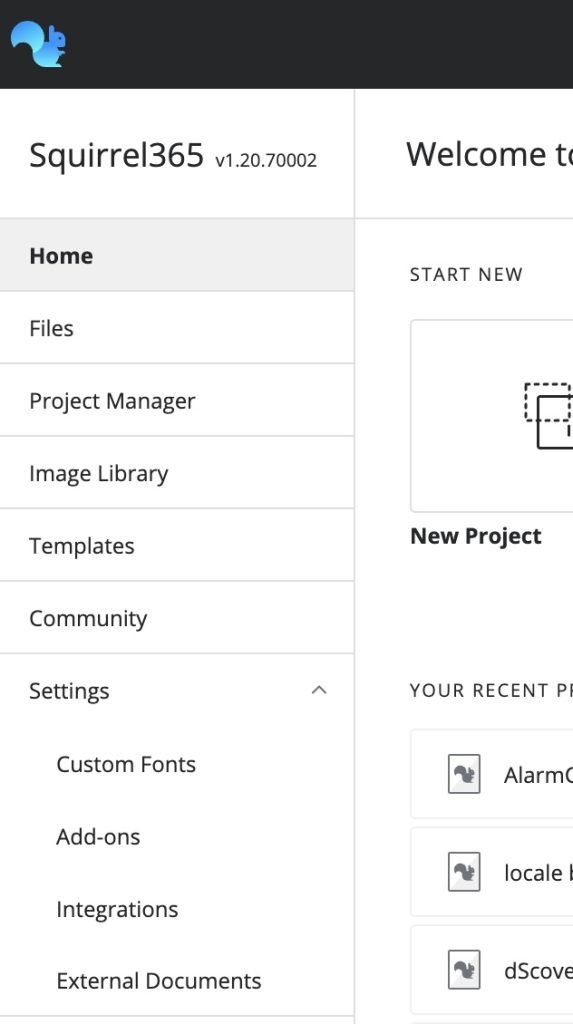
The navigation on the Squirrel365 Designer home page has been tidied up with new section groupings that make it easier to find what you are looking for.
The new settings menu is the place to mange fonts, add-ons, integrations and more.
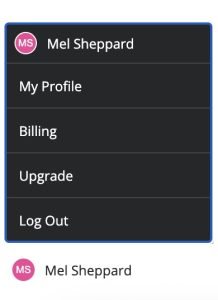
Billing and profile information has been relocated to a new menu, that is accessed by clicking on your user avatar in the bottom left of the home screen. This menu includes actions such as loggin out , viewing your profile and managing your subscription via the new billing portal.
Those on a Builder plan will have access to the new HubSpot connector, which lets you create a contact in HubSpot directly – without the need for Zapier. Perfect for adding lead capture to your projects. Build up the list of contact fields that you want to send to HubSpot by clicking the Add a contact field button. Select which contact field to and bind it to a source cell in your spreadsheet.
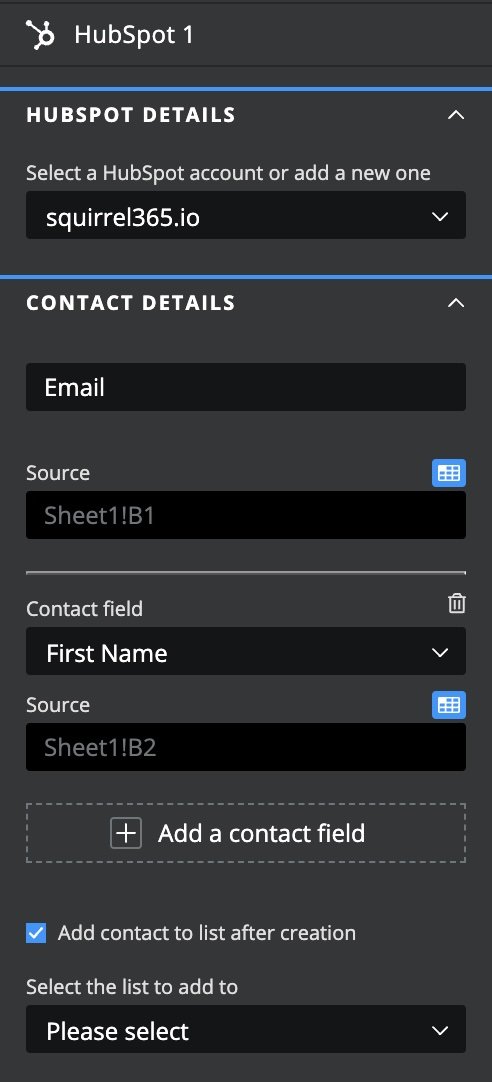
You also have the option to automatically add the contact to a list(segment) that exists in HubSpot.
Often you want to set dynamic visibility based on multiple conditions. For example, show this container when cell A1 = 1 and C3 <> 1. Previously, this had to be done using a formula that evaluated the cells and retuned a single result. We have added the ability to build multiple conditions into your projects.
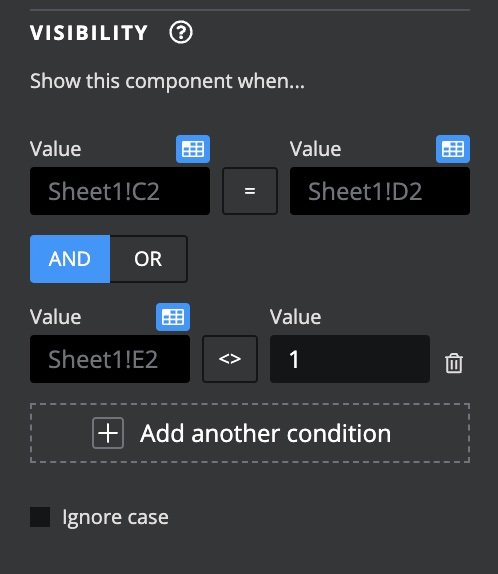
The new conditional logic allows for multiple rules to be applied to Dynamic Visibility, Interactivity and triggers, reducing the need for complex formulas.
A number of the enhancements in 1.20 make it easier to deliver a more native mobile app experience to your users, whilst remaining true to our ethos of giving you ultimate control over how you app looks and feels. We’ve a bunch of exciting things lines up for 1.21 already so watch this space .


GET STARTED
Sign up, get building, and pay when you’re ready to launch.