Product

By
Mel Sheppard
//
08 April 2026
v1.21 is the latest release of the Squirrel365 designer and it's out now. This is a big one. The headline is Custom Components, a feature that fundamentally changes the way you can build and manage your projects.
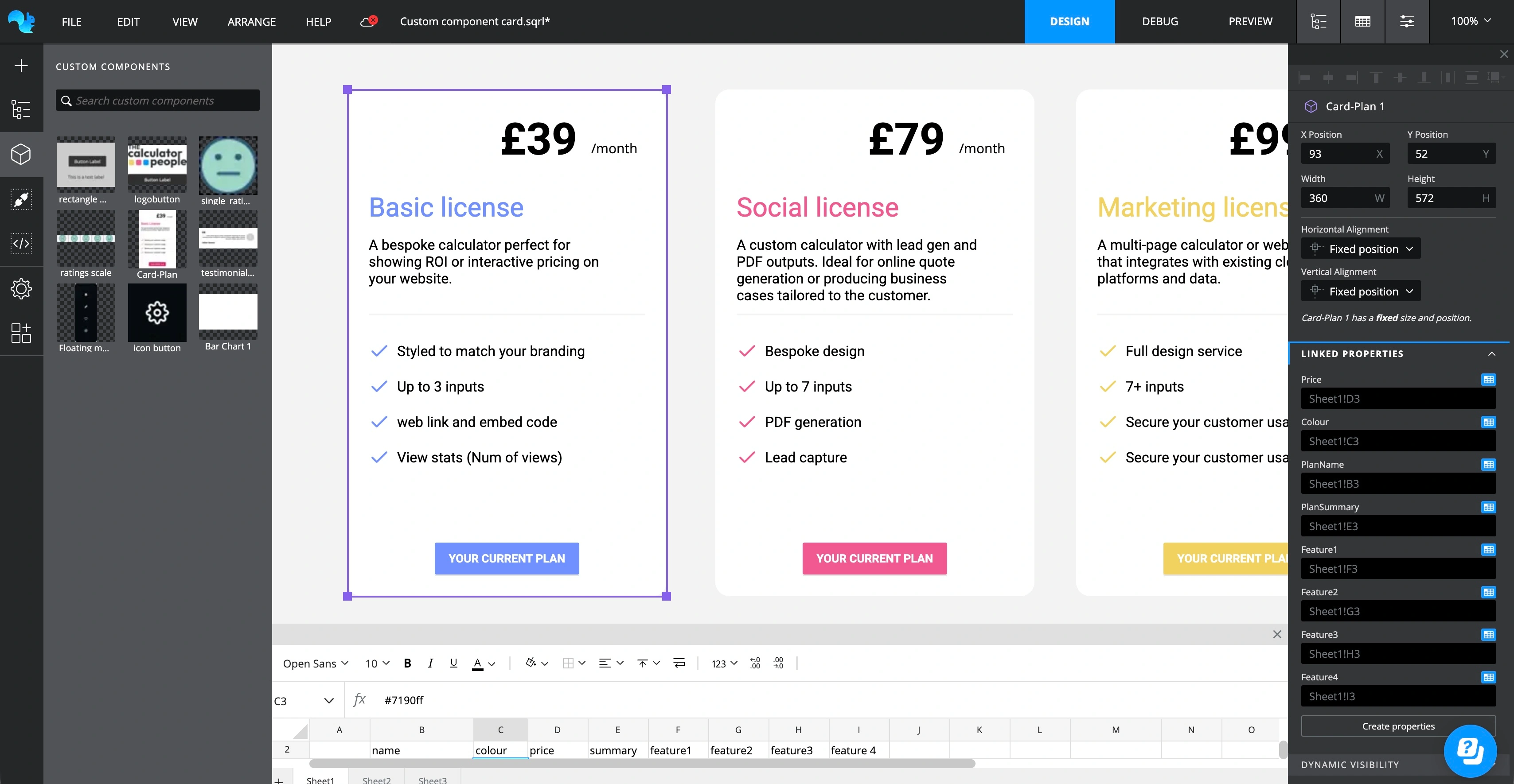
The biggest addition in 1.21 is Custom Components. If you've ever found yourself recreating the same group of widgets across multiple projects, or copying and pasting a carefully configured panel from file to file, Custom Components are for you.
Select any group of widgets on your canvas, hit Make Custom Component, give it a name, and it's saved to your personal cloud library. From that point on you can drag it onto any canvas, in any project, just like any other component from the library.
What makes Custom Components genuinely powerful is property linking. You can choose which internal widget properties are exposed as bindable properties on the component, so each instance can be configured independently whilst sharing the same underlying design and logic. Need 12 KPI cards that all look the same but each bind to a different data source? Build one, link the data binding properties, drop 12 instances, and configure each one in seconds.
When you want to make changes to the component's internals e.g. layout, logic or styles, double-click any instance to enter edit mode. A dedicated workspace opens showing just the component's canvas. When you save, you can push the change to all instances across all your projects, or apply it to just the one you're working with.
The Asset Library has also had a full overhaul to support Custom Components alongside images. You'll find dedicated navigation between your image assets and components, a grid/list view toggle, search, and double-click to enter edit mode directly from the library.
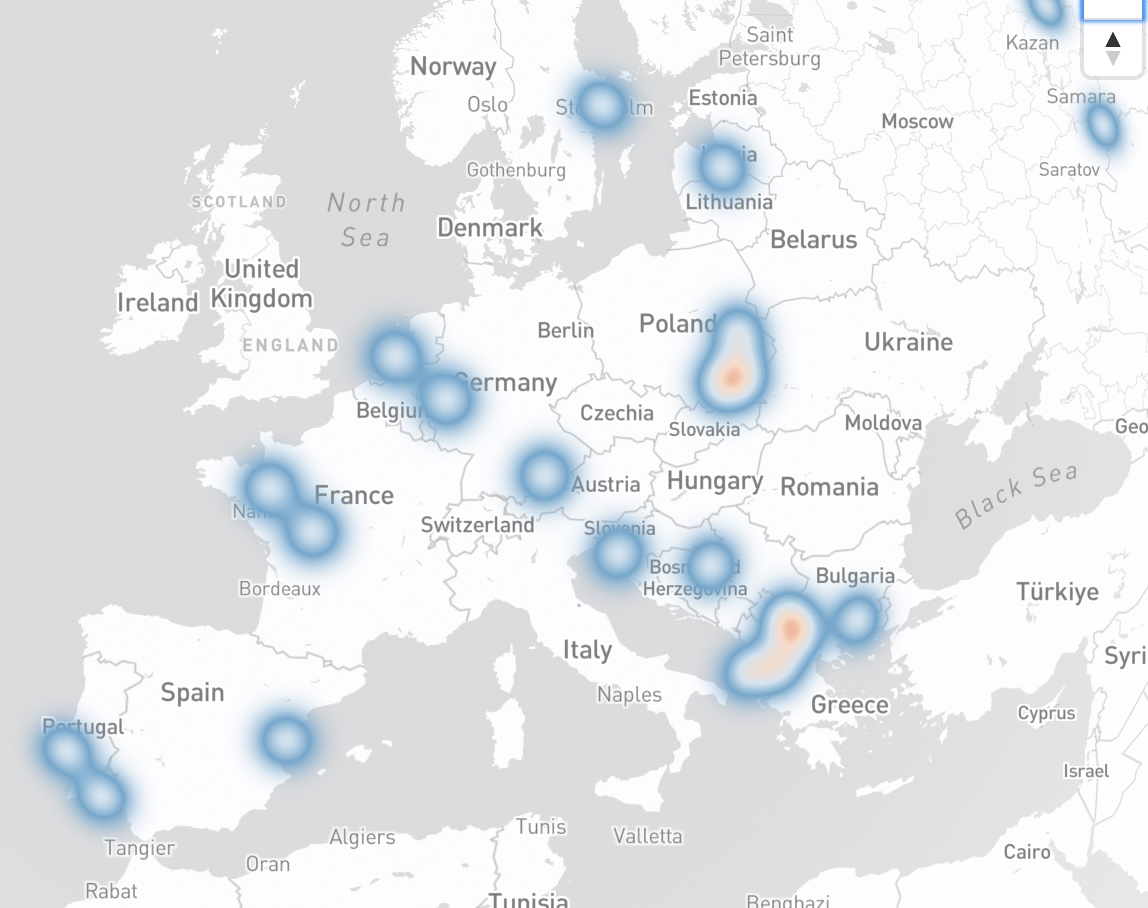
If you're using the Mapbox component to visualise location data, you can now switch any marker series from pin markers to a heatmap. It's a single toggle in the series property panel and gives you an immediately recognisable way to show density across a geographic area.
The container component now supports a bindable scroll position property, so you can programmatically control which part of a scrolling container is visible.

Value input and text input components now have an option to select all text when the field receives focus, a small but useful quality-of-life improvement for form based applications or data entry projects.
The WindowSize function, previously only available as an add-on, is now built-in to the canvas properties.

Turn on the option to 'Insert browser size into spreadsheet' and binf the heitgh and wodth properties to the spreadsheet. This will inject the height and width of the users browser window at runtime allowing you to build adaptive layouts based on that information.
You can now duplicate components directly from the right-click context menu on the canvas and in the Component Tree.
Writeback now supports bulk insert, letting you write multiple rows back to your data source in a single operation.
1.21 is the most significant release we've shipped in some time. Custom Components open up a completely new way to build and manage projects in Squirrel365, one that scales as your library of reusable components grows. Paired with the continued development of dScover AI and the new Pie/Donut chart, there's a lot to explore. As always, if you have feedback or run into anything unexpected, the team is on hand in the community.


GET STARTED
Sign up, get building, and pay when you’re ready to launch.