Product

By
Mel Sheppard
//
12 June 2024

We’ve been busy Squirrel’ing away on a new release. The focus of 1.17 is to give you more control over how your projects look. And we’ve also laid the groundwork for some exciting new capabilities coming in 1.18, but more on that in a later post.
Up until now you have only been able to turn borders on or off and set radius for the whole component. Whilst this is useful, it does tie your hands a little when trying to build the aesthetic or design you want. In this release we’ve enhanced the border and padding capabilities to give you more options:
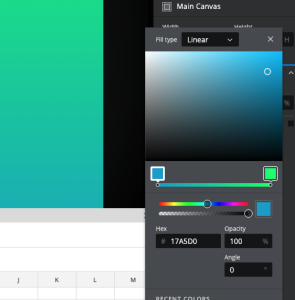
The color picker has been rebuilt from the ground up and can now support gradients. We’ve added support for gradients to the rectangle and main canvas components for the time being. More components will support gradients in the coming releases.
With the ability to add custom CSS or JavaScript, you can customise your Squirrel project to look and do more. Custom CSS allows you to create classes to override default styling. This can be useful when wanting to style just some of the text within a text label by using a class in a <span></span> element.
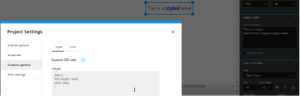
Custom Code allows you to add your own JavaScript code to your application. This option will only work with locally exported projects.
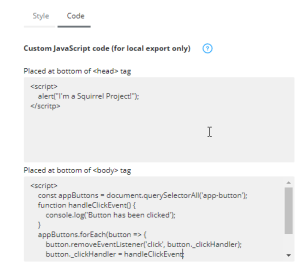
Want to know more about who is viewing your Squirrel projects, or want to add your own tags for conversion tracking, site analytics, remarketing and more? Simply add your GTM Container ID to your project and the GTM code will be added when you publish locally or to the Squirrel cloud.
In 1.15 we added the repeat container, where you define a group of components and they automatically update and repeat, driven by the data in the spreadsheet, to create multiple rows. Great for dynamically building up a lists views etc. In 1.17 we’ve enhanced the repeat container to now let you repeat your content in columns as well.
This release of Squirrel has been all about providing you more tools to customise your projects to get the look and feel exactly how you want it. With custom code and Google Tag Manager you can now also enhance you project to do more too.


GET STARTED
Sign up, get building, and pay when you’re ready to launch.